 LOGSORTIE
Osmo Pocket 4P D-Log 2 to Rec.709: LUT or CST in DaVinci Resolve
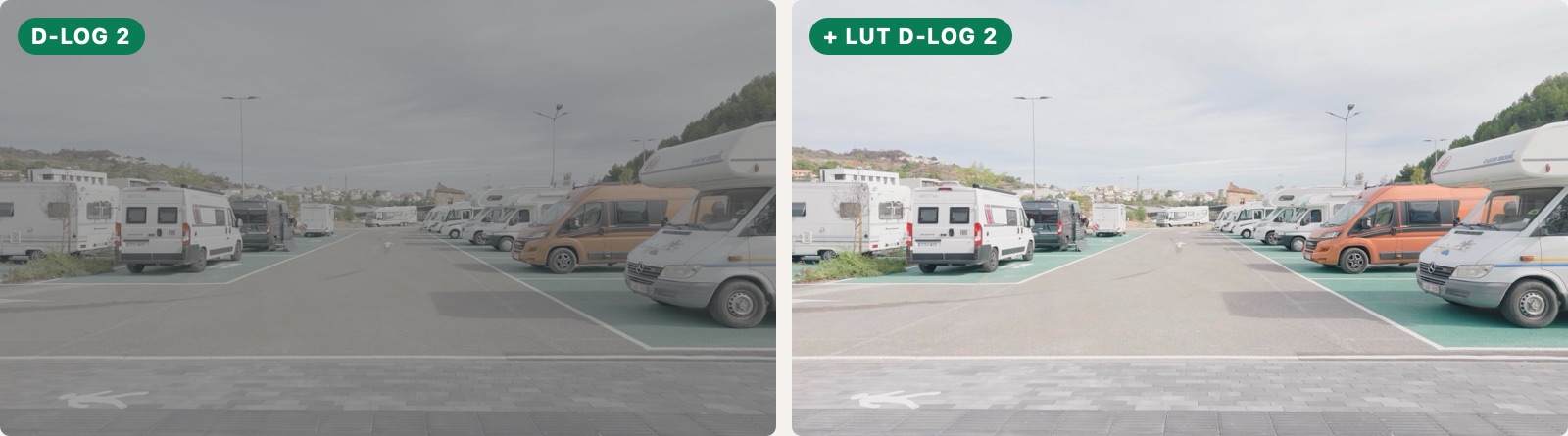
There are two ways to turn Pocket 4P Log footage into a normal Rec.709 image: a conversion LUT, or a color space transform (CST) in DaVinci Resolve. D-Log works with both. For D-Log 2, Resolve doesn't offer a CST at the time of writing, so you need a LUT made for D-Log 2.
Option 1: a D-Log 2 to Rec.709 LUT
This is the simplest route. The usual order is three nodes: exposure and white balance first, then the LUT made for the profile you shot in, and after it a node for contrast and color. The LUT expects a well-exposed Log image, so fix exposure before it, not after.
- DJI has free conversion LUTs on the Pocket 4P downloads page at dji.com. The ones I use are
D-Log to Rec.709 V2.0andD-Log2 to Rec.709 V1.0, both size 33. There are also "vivid" versions with more saturated color. Check for newer versions now and then: the D-Log one is already on V2.0. - Use the D-Log LUT on D-Log clips and the D-Log 2 LUT on D-Log 2 clips. If you swap them, contrast and color come out wrong.
- A conversion LUT gets you to Rec.709, not to a finished look. Check your scopes and adjust contrast and blacks to taste.
Option 2: a CST in DaVinci Resolve (D-Log only)
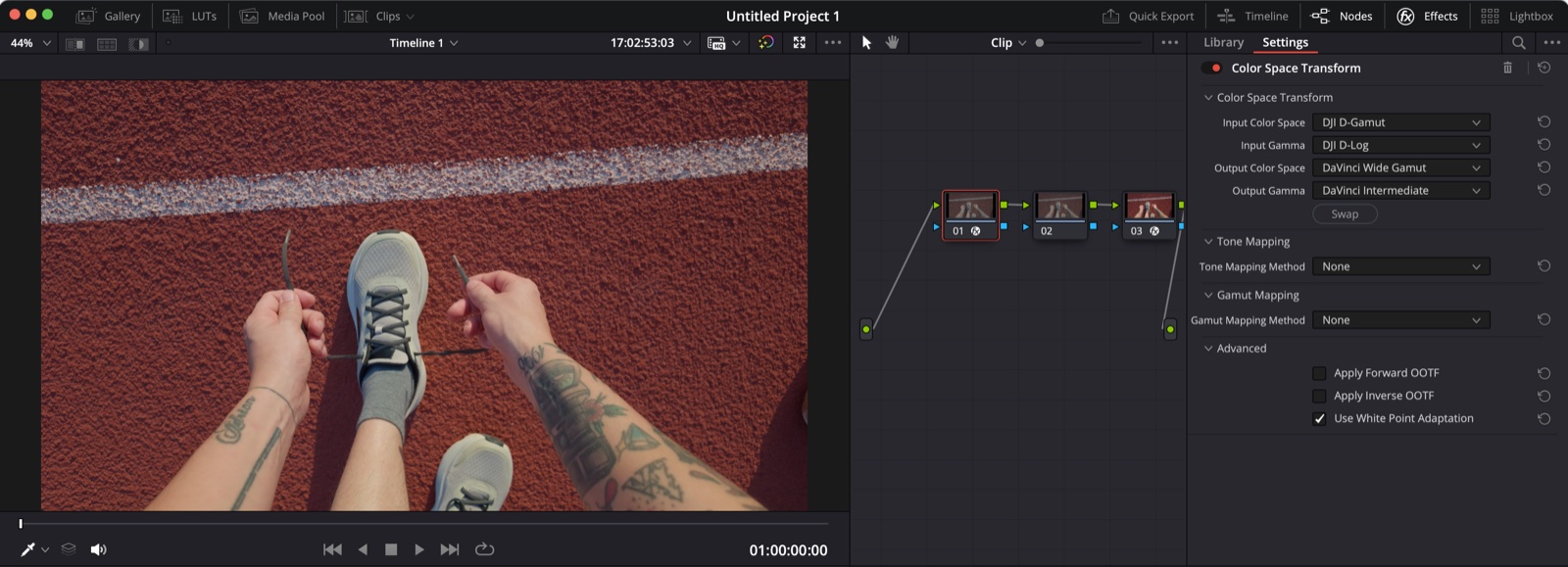
A CST gives you more control, because you grade in a wide color space and convert at the end. For D-Log footage, the usual setup is a pair of CST nodes:
- First CST: from DJI D-Gamut and DJI D-Log to DaVinci Wide Gamut and DaVinci Intermediate.
- Your grade goes in the nodes between the two.
- Second CST: from DaVinci Wide Gamut and DaVinci Intermediate to Rec.709.
In the first CST, set Tone Mapping Method to None. The tone mapping goes only in the last one, the one that takes you to Rec.709. If you leave it on in both, it can clip highlights and push the reds.
Is there a CST for D-Log 2 in DaVinci Resolve?
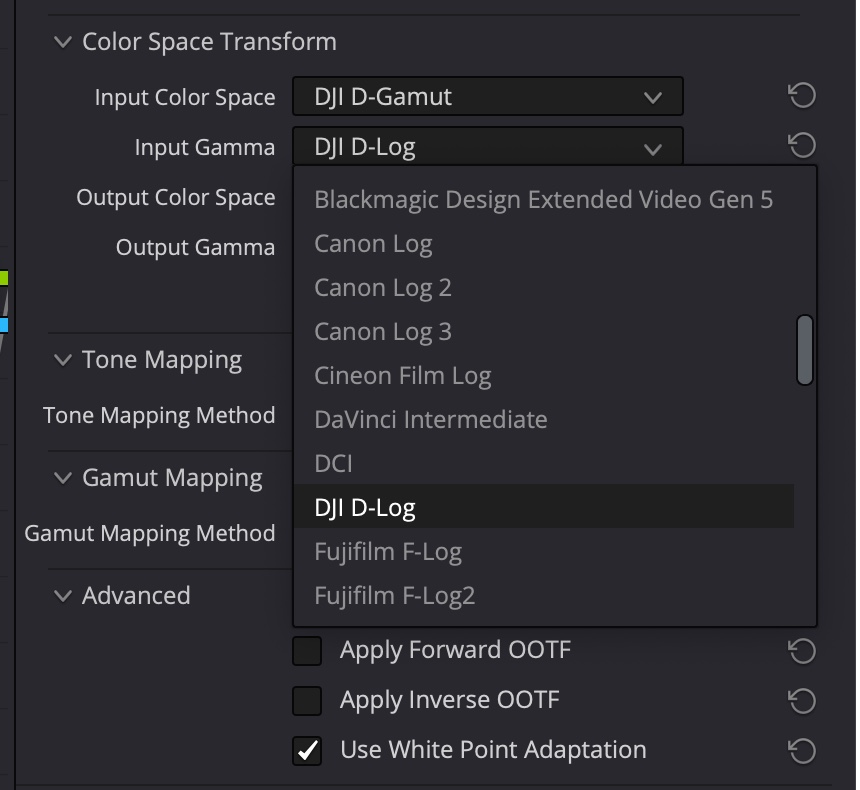
Not at the time of writing. I checked it in DaVinci Resolve Studio 20: the CST input list includes DJI D-Log, but not D-Log 2. Check the list in your version, because an update may add it. Until then, use a D-Log 2 LUT.
Can you shoot slow motion in D-Log 2?
Not with the firmware I'm using: all my slow-motion clips from the Pocket 4P came out in D-Log. So if you shoot your normal clips in D-Log 2 and add some slow motion, you end up with both profiles in the same shoot, and two conversions.
Mixing D-Log and D-Log 2 in one timeline
Convert each clip with the LUT or CST for its own profile first, then match them. That is much easier if they're already in separate folders. More on that in D-Log vs D-Log 2 on the Osmo Pocket 4P.
LogSortie separates D-Log and D-Log 2 clips into folders, so each group gets its own conversion. More about LogSortie